

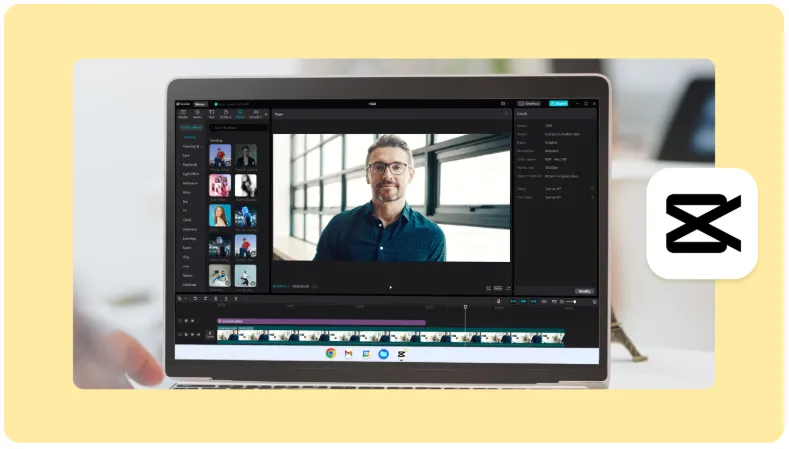
Vacation video editing is gaining traction as people seek to capture and share their experiences. CapCut Desktop Video Editor is a user-friendly, free video editing software for beginners and experts. Its professional-grade features, like keyframe animation and smooth slow motion, enhance the editing process.
This makes it seamless and enjoyable. Users can easily create stunning videos with tools like auto-captions and background removal. Dive into the video editing world with CapCut and elevate your content creation. Read the complete blog to explore all its features!
Why Use CapCut Desktop Video Editor for Vacation Videos?
Simplified Editing for Beginners
CapCut is a video editing software that is easy to use for beginners. It has a simple layout that helps users learn quickly. You can trim, cut, and layer videos without hassle. The tools are clear and straightforward, making it fun to create videos. Start making your videos today.
Creative Freedom
CapCut lets you add animations, filters, and custom effects to your vacation videos. You can easily remove distracting backgrounds with the video background remover. This tool helps you focus on key moments and enhances your footage. Enjoy creating unique videos that reflect your style and memories.
Free and Watermark-Free
CapCut is a free video editing app that lets you create high-quality videos without watermarks. You can easily edit and share your work on social media. The app offers many tools, including effects, filters, and royalty free music. You can export unlimited videos, making it perfect for all creators.
Features of CapCut Desktop Video Editor for Vacation Videos
Add Stunning Filters and Effects
CapCut offers great filters to enhance your vacation videos. You can choose from many pre-set filters to give your moments a fresh look. Combine these filters with the video background remover for a clean and focused result. This tool helps you eliminate distractions and highlights your best memories. Enjoy creating stunning videos with ease and share them with friends.
Seamless Transitions
CapCut Desktop Video Editor makes editing vacation videos easy. You can add smooth transitions between clips to create a seamless flow. This feature helps tell your story better by connecting moments effortlessly. You can choose from various transition styles to match your video’s mood. You can enhance your footage and make your memories shine with simple tools. Enjoy crafting your perfect vacation video!
Incorporate Music and Sound Effects
CapCut Desktop Video Editor makes editing vacation videos easy and fun. You can use built-in royalty-free music or upload your audio tracks. Adjust sound levels to match your visuals perfectly. This helps create a seamless flow in your video. Syncing audio with clips enhances the overall experience. With these tools, your vacation memories will shine brightly in every frame.
Text and Titles with AI Caption Generator
CapCut Desktop Video Editor is great for vacation videos. You can easily add captions or timestamps to highlight special moments. The AI caption generator automates caption creation, saving time and ensuring accuracy. This feature helps you keep your videos engaging and clear. With these tools, you can create fun and memorable videos that capture your adventures perfectly.
Video Stabilization and Adjustment Tools
CapCut Desktop Video Editor makes editing vacation videos easy. You can fix shaky footage with its stabilization tool, ensuring smooth viewing. Adjust the brightness and saturation to enhance colors and set the right mood. Speed adjustments let you create dynamic scenes that fit your style. These tools help you craft videos that capture your memories perfectly. Enjoy a seamless editing experience with CapCut.
Steps to Edit Vacation Videos Using CapCut Desktop Video Editor
- Import Vacation Footage
Download and install CapCut, a user-friendly video editing software. Open the program and find the “Import” button on the main screen. Click it to select your raw video files. This simple process lets you start editing your vacation footage quickly and easily. Enjoy creating your memories!
- Edit Your Video
Start editing your video in CapCut with these easy steps:
- Trim clips to remove unwanted parts and rearrange them for a smooth flow.
- Use the video background remover to highlight your best vacation moments.
- Add text overlays to convey your message.
- Utilize the AI caption generator for automatic captions that look professional.
- Adjust the speed of clips to create engaging effects.
- Experiment with filters and transitions to enhance your video.
These simple tools make your editing process fun and effective. Enjoy creating stunning videos!
- Add Music and Finishing Touches
To add music and finishing touches in CapCut, follow these steps:
- Open the app and browse the audio library for a soundtrack or upload your audio.
- Drag the audio to your timeline to sync it with your video.
- Adjust the audio length to match your video clips.
- Use the trim tool to cut unwanted parts of the audio.
- Add sound effects from the library for extra flair.
- Review your video to ensure everything flows well.
- Make final adjustments to brightness and color if needed.
- Save your project and share it on social media.
- Export and Share
To export your video in CapCut, choose the resolution and frame rate you want. After that, save the edited video to your device. If you prefer, you can share it directly on social media with just one click. Enjoy showcasing your work easily and quickly!
Tips for Better Vacation Videos Using CapCut
To create better vacation videos with CapCut, follow these tips:
- Use consistent filters to give your video a cohesive look.
- Shorten clips for a more engaging story.
- Utilize the video background remover for a clean presentation.
- Optimize export settings based on where you’ll share your video.
These steps will help you craft polished videos that effectively capture memorable moments. Keep your audience engaged by maintaining a smooth flow and clear visuals throughout your content.
Wrapping Up
CapCut Desktop Video Editor makes editing vacation videos simple and fun. With its video editing software, users can easily trim, merge, and enhance clips. The AI caption generator automatically creates subtitles, saving time and effort. Explore CapCut’s features to capture and share your travel memories effortlessly.